MB®
← Back to work Contact
{{ caption }} — click anywhere to close
Case study 02  ·  UX UI Case Study  ·  2025

Art X All.

An educational mobile app for the Museo Nacional Thyssen-Bornemisza that brings classical art closer to young people aged 15–25.
Open prototype ↗
Client
Museo Thyssen
Role
UX / UI Designer
Scope
Mobile app, end to end
Year
2025
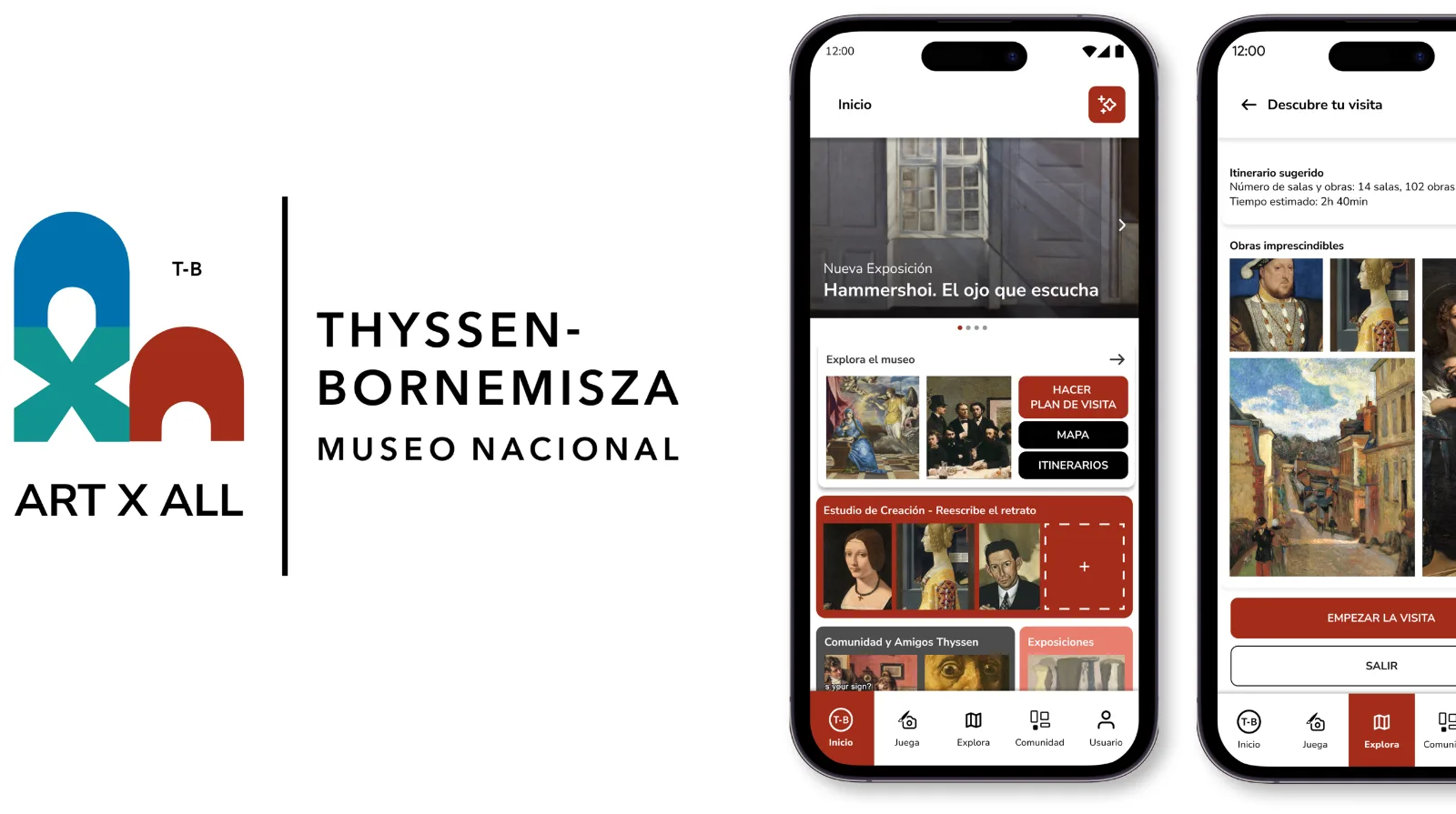
Art X All cover
01 / Overview
The brief

Create an educational mobile app for the Thyssen Museum to bring classical art closer to young people aged 15–25, connecting artworks with their interests and digital interaction habits.

The challenge

Understand why younger generations are losing interest in classical art and design a digital experience that makes it more engaging and relevant for them.

Key objectives
01
Connect younger generations with classical art.
02
Offer a modern and digital cultural experience.
03
Encourage interaction and participation, not just content consumption.
02 / Solution

Games, challenges and rewards that turn a visit into something active.

A mobile app for the Museo Nacional Thyssen-Bornemisza that helps young people enjoy art in a fun and interactive way. Games, challenges and rewards encourage users to explore the museum and its artworks, making visits more active, educational and participative.
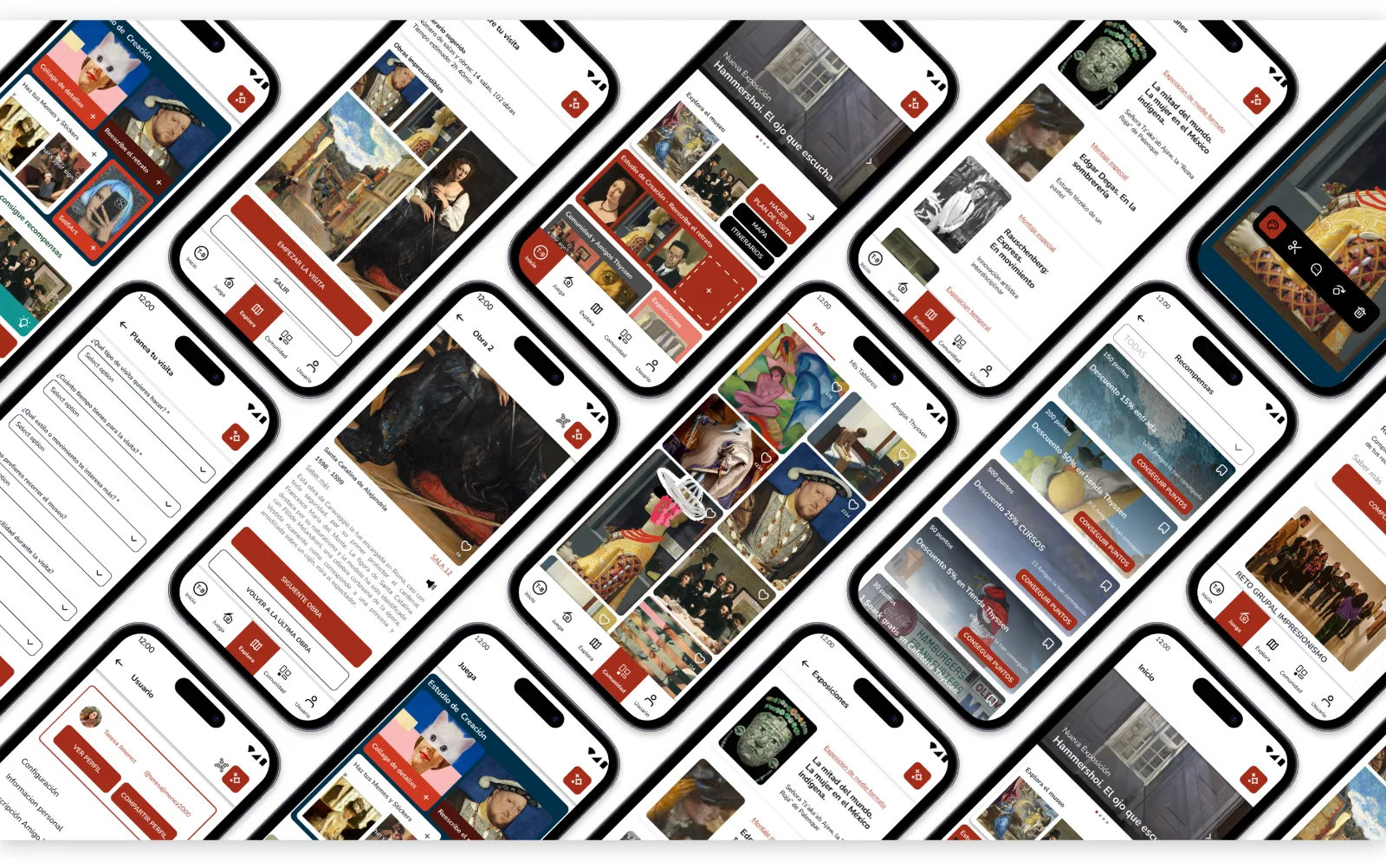
Art X All screens
03 / Process

Five stages, from understanding the audience to a tested high-fidelity prototype.

01
UX Research
02
Wireframes
03
Design System
04
UI Design
05
Prototype
Desk research

Online sources, articles and official museum websites, to understand how young people interact with museums and digital tools.

Benchmark

Museum and cultural apps that engage young audiences through gamification, creative activities and guided experiences.

In-depth interviews

Conversations with potential users about their motivations and expectations, compared against our initial hypotheses.

Wireframes — explore, play, create and community · click to enlarge
User flow — visiting the artworks · click to enlarge
04 / Insights

What the interviews kept repeating.

“I want something that guides me. I don’t want to waste time or feel lost inside the museum.”
“Games are okay… but I don’t want to look at my phone all the time because the app distracts me from what I’m seeing.”
“Real rewards would be good to help people get more involved.”
“Yes, an AI assistant could be good to ask questions.”
05 / Opportunities

Five design opportunities came out of the research, and each one became a feature.

01
Highlight key artworks
Indicators for the most important artworks in each room, so visitors focus on key pieces and feel less lost.
02
Short context media
Short videos or audio clips explaining the historical and social context of each artwork.
03
AI visual assistant
Point the camera at an artwork to get extended information and ask questions about the piece.
04
Personalized planner
Recommended routes based on interests and energy level, reducing disorientation inside the museum.
05
Unified reward system
Quizzes, games and activities connected into points, exchangeable for tickets, discounts or exclusive experiences.
06 / UI System

The UI system is inspired by the visual identity of the Thyssen Museum website — similar colors, typography and graphic elements, to keep a consistent and recognizable brand image.

The design focuses on simplicity and clarity: clear icons and simple layouts guide young users through the app.
Foundations — type scale, colour palette, corner radius · click to enlarge
Components — buttons, navigation, tabs, cards and carousels · click to enlarge
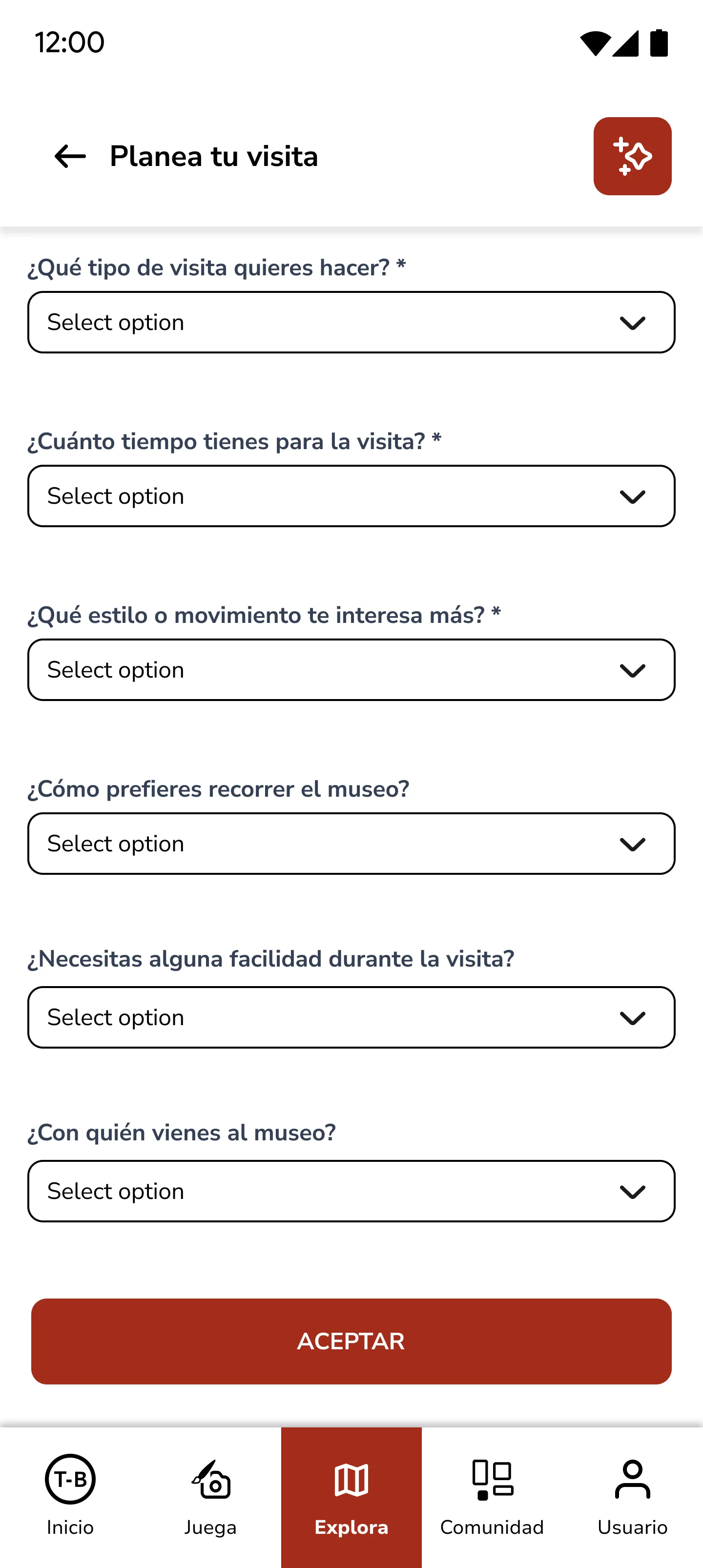
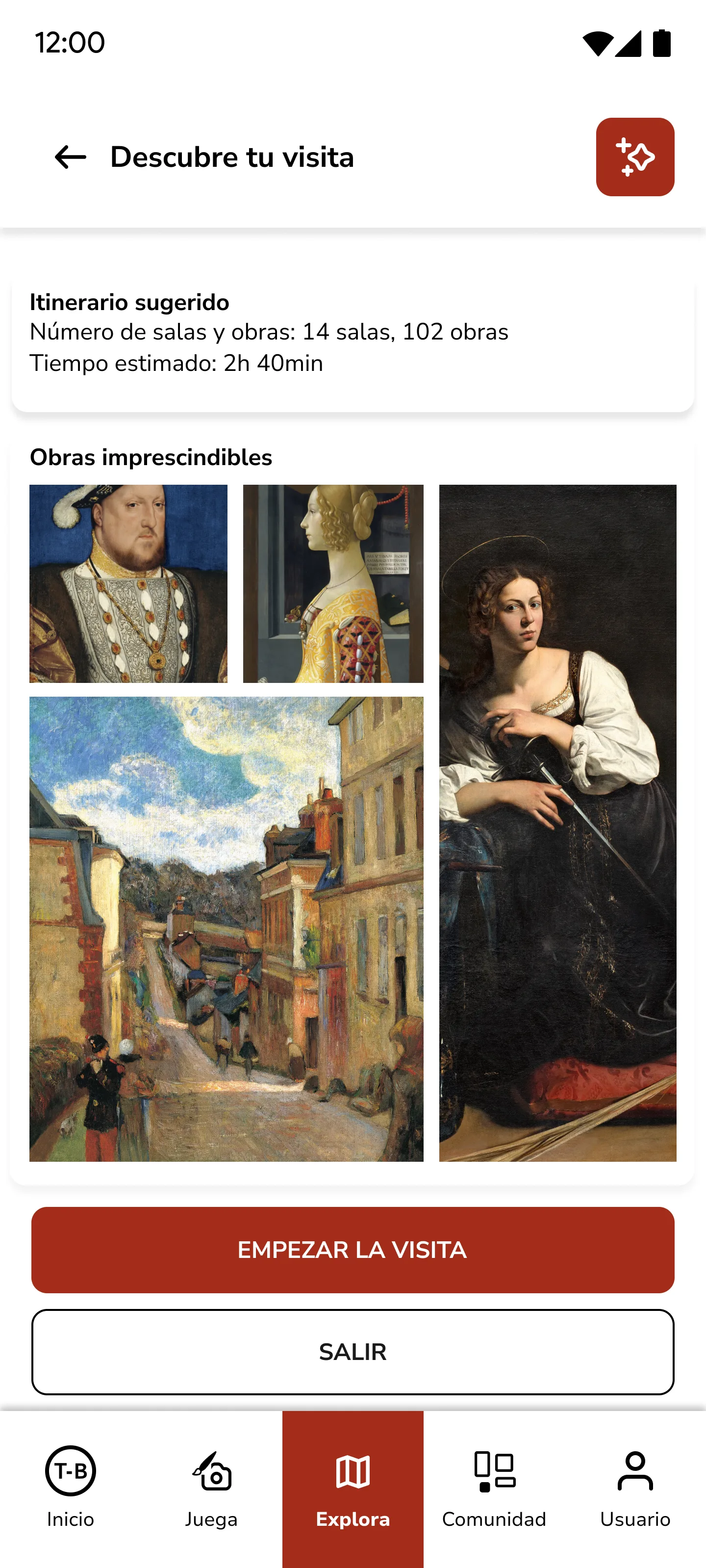
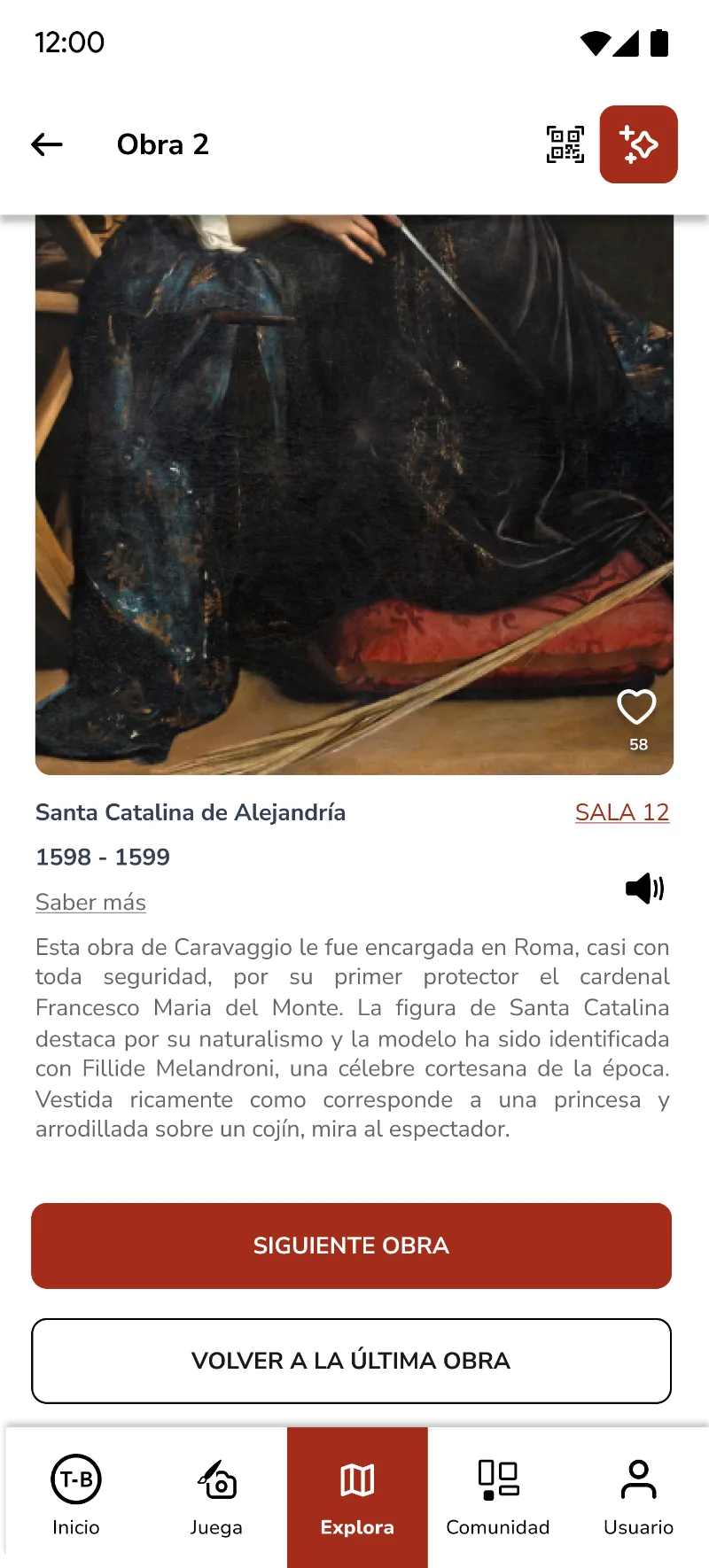
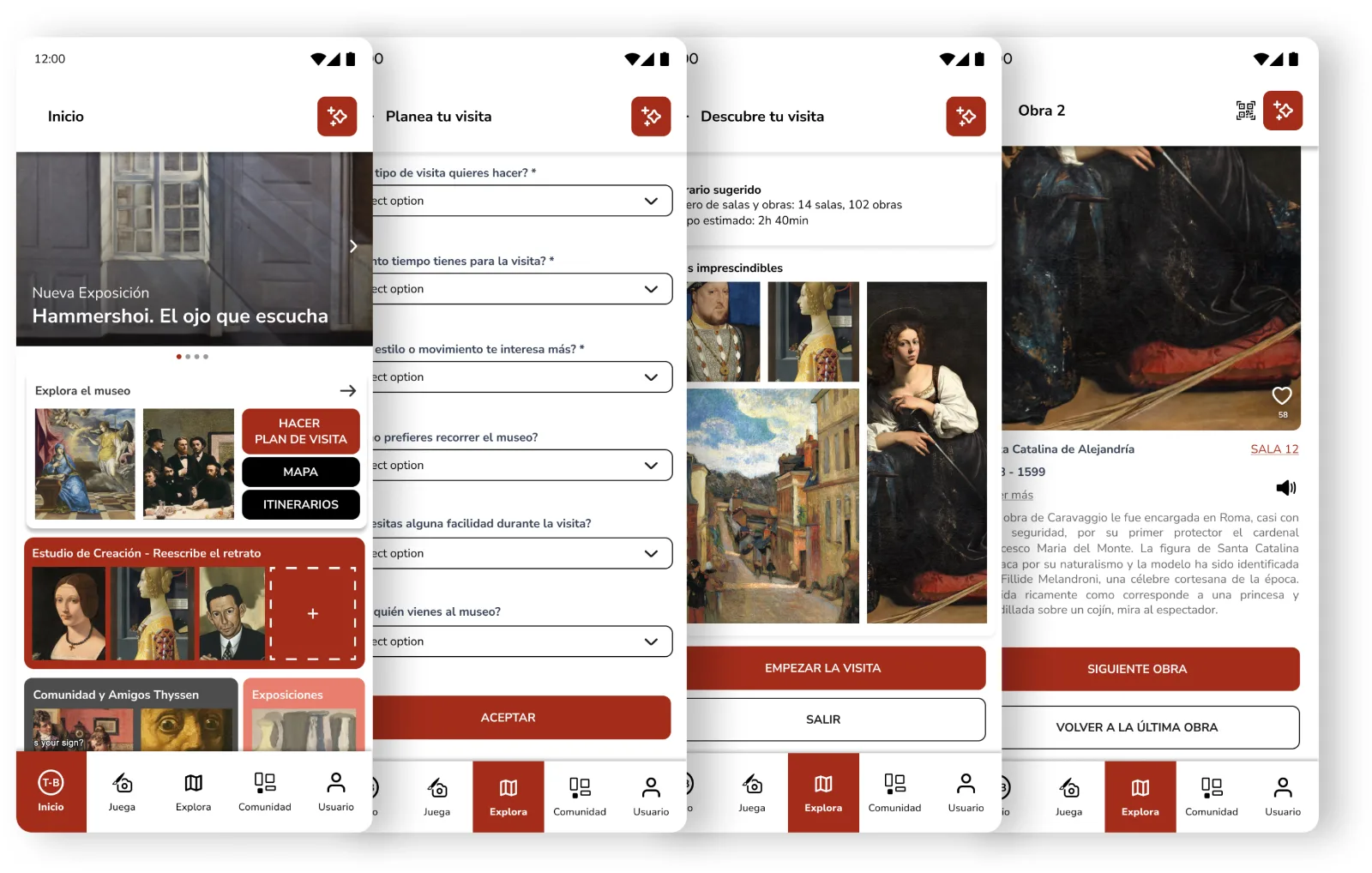
Core journey — home, plan, itinerary, artwork
07 / Final Screens

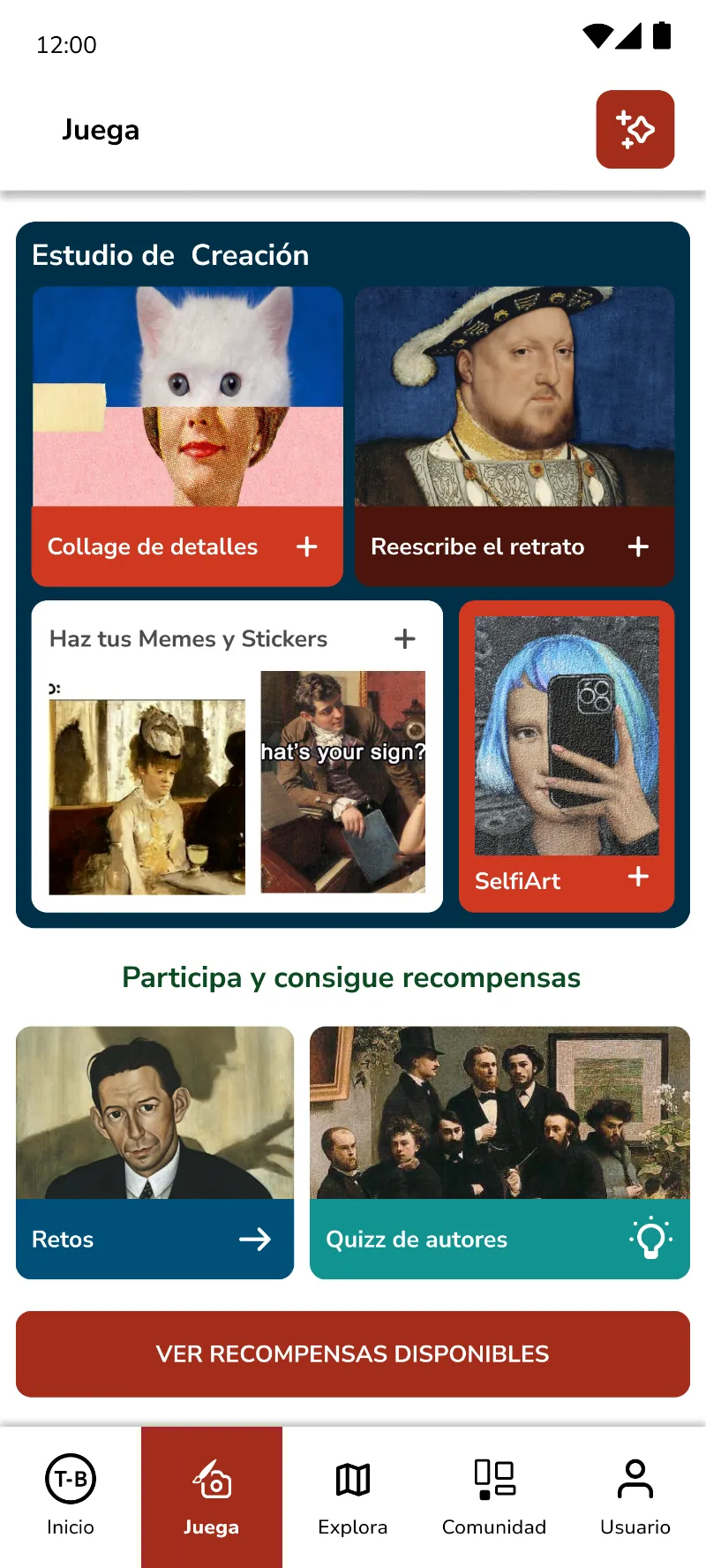
Eight screens covering the whole journey, from planning the visit to redeeming the points earned inside the museum.
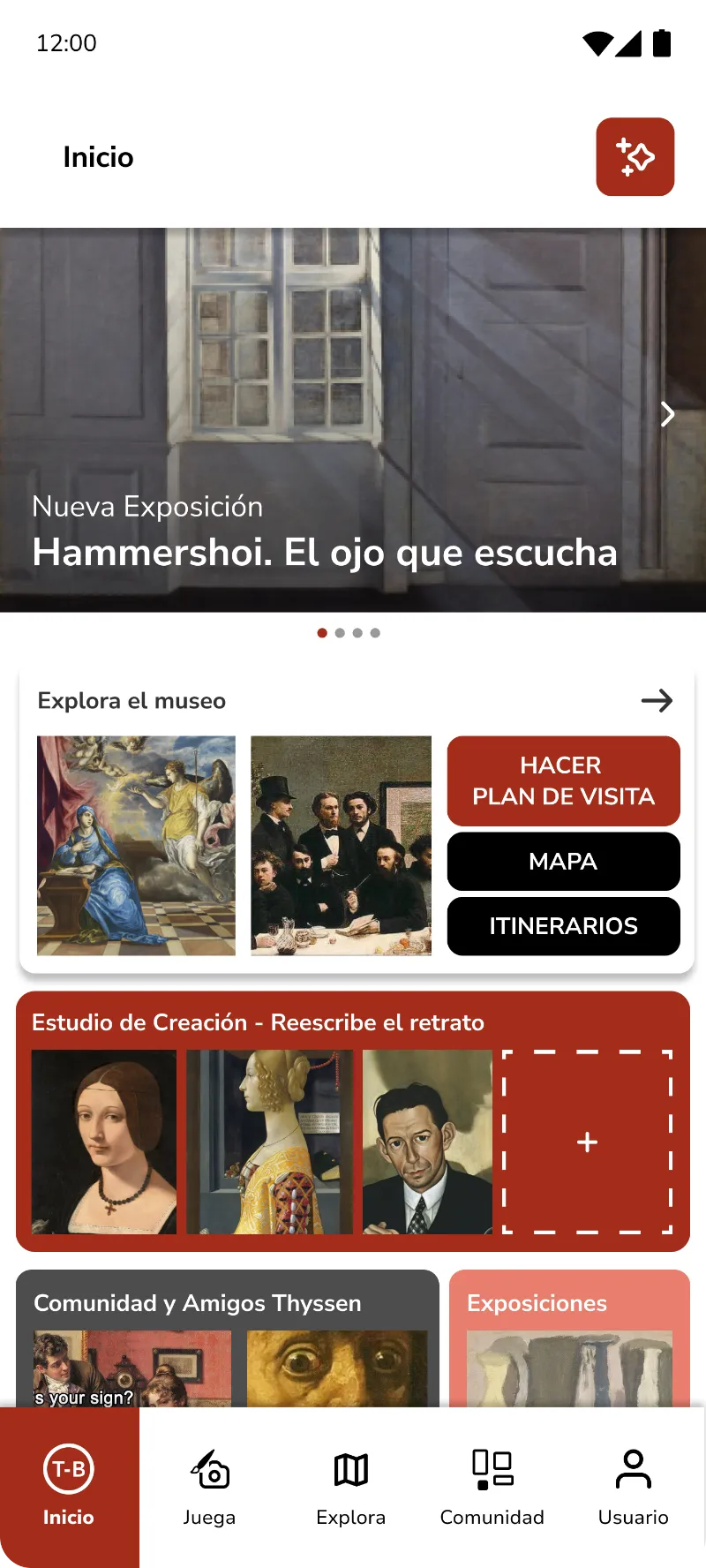
Home
Home
Play
Play
Plan your visit
Plan your visit
Suggested itinerary
Itinerary
Artwork detail
Artwork
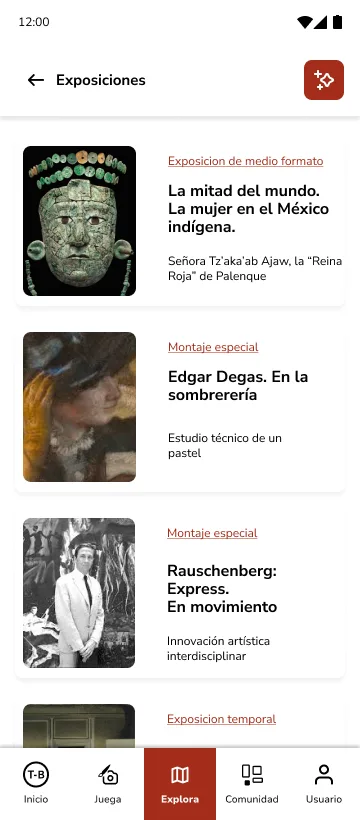
Exhibitions
Exhibitions
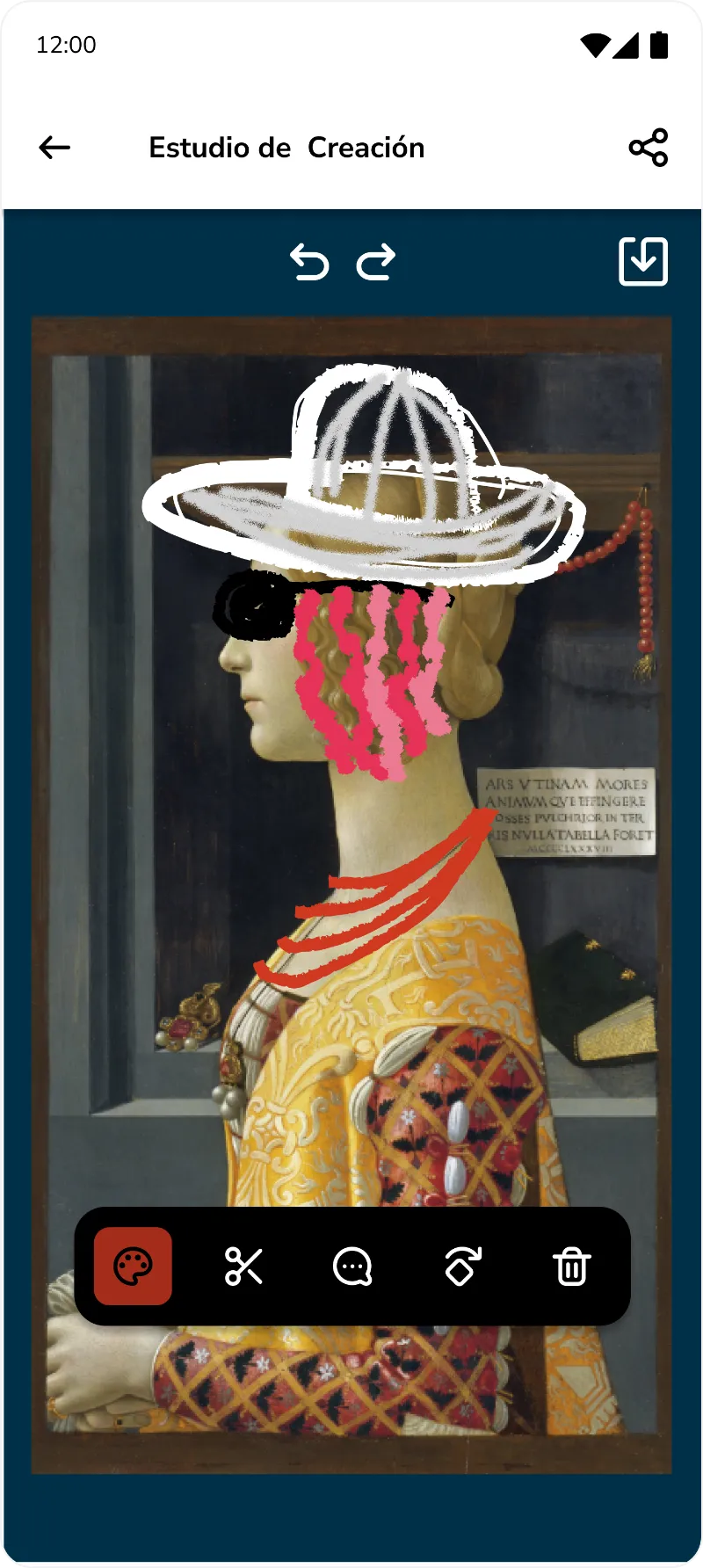
Creation studio
Creation studio
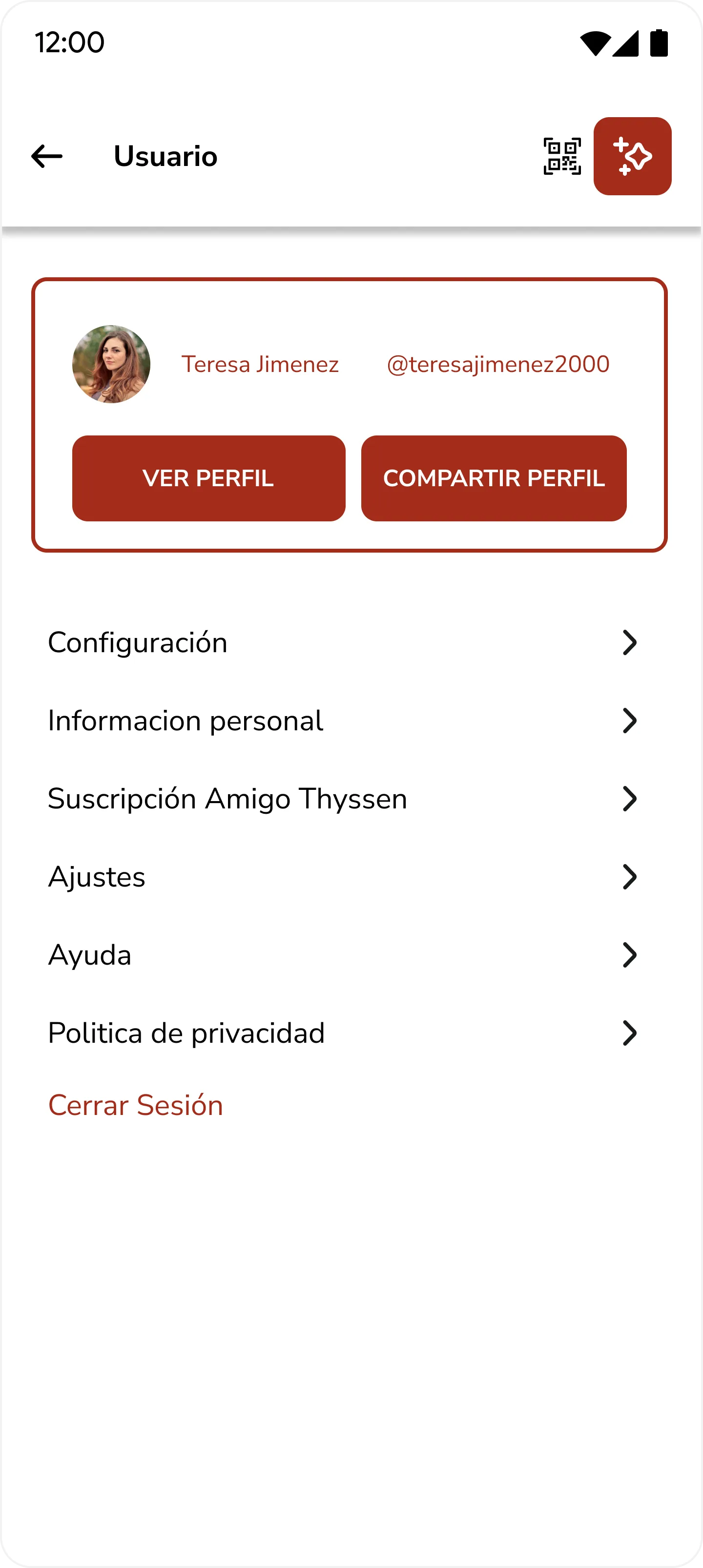
User profile
Profile
08 / Key Features

Three moments carry the experience: exploring the museum, playing with the collection, and getting something back for it.

Suggested itinerary
Explore the exhibitions

A suggested itinerary with rooms, time estimate and the artworks not to miss.
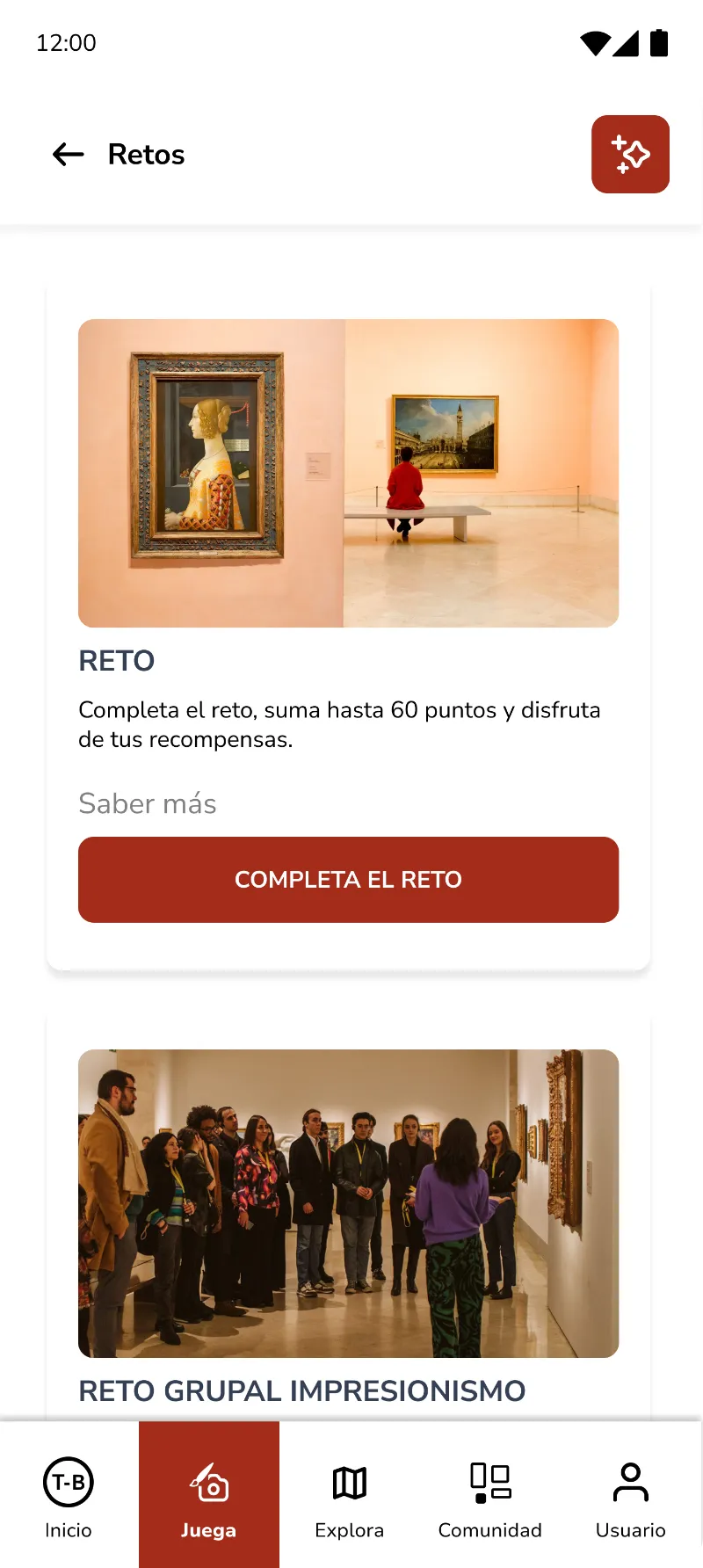
Challenges
Take on challenges

Individual and group challenges inside the rooms, each one worth points.
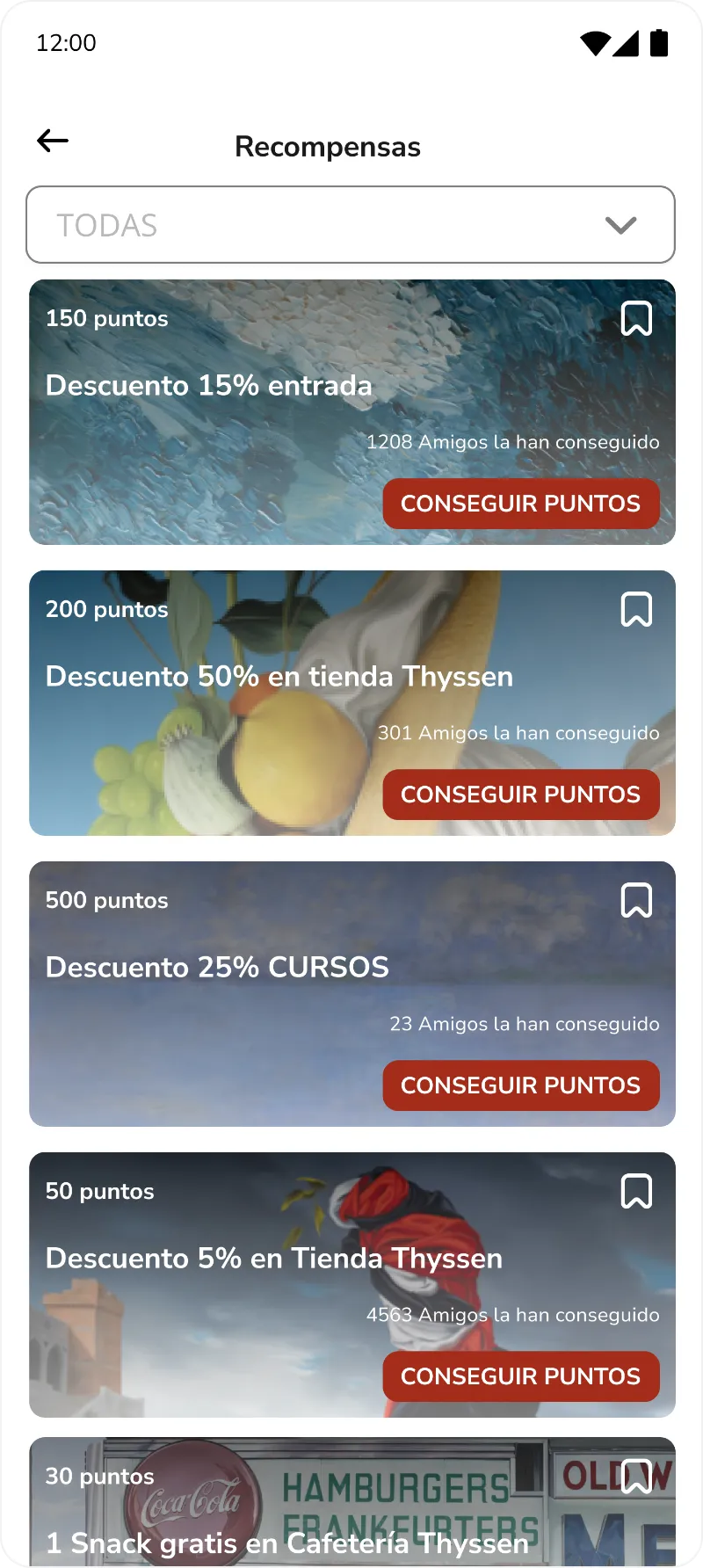
Rewards
Get rewards after your visit

Points become discounts on tickets, the shop, courses or the café.
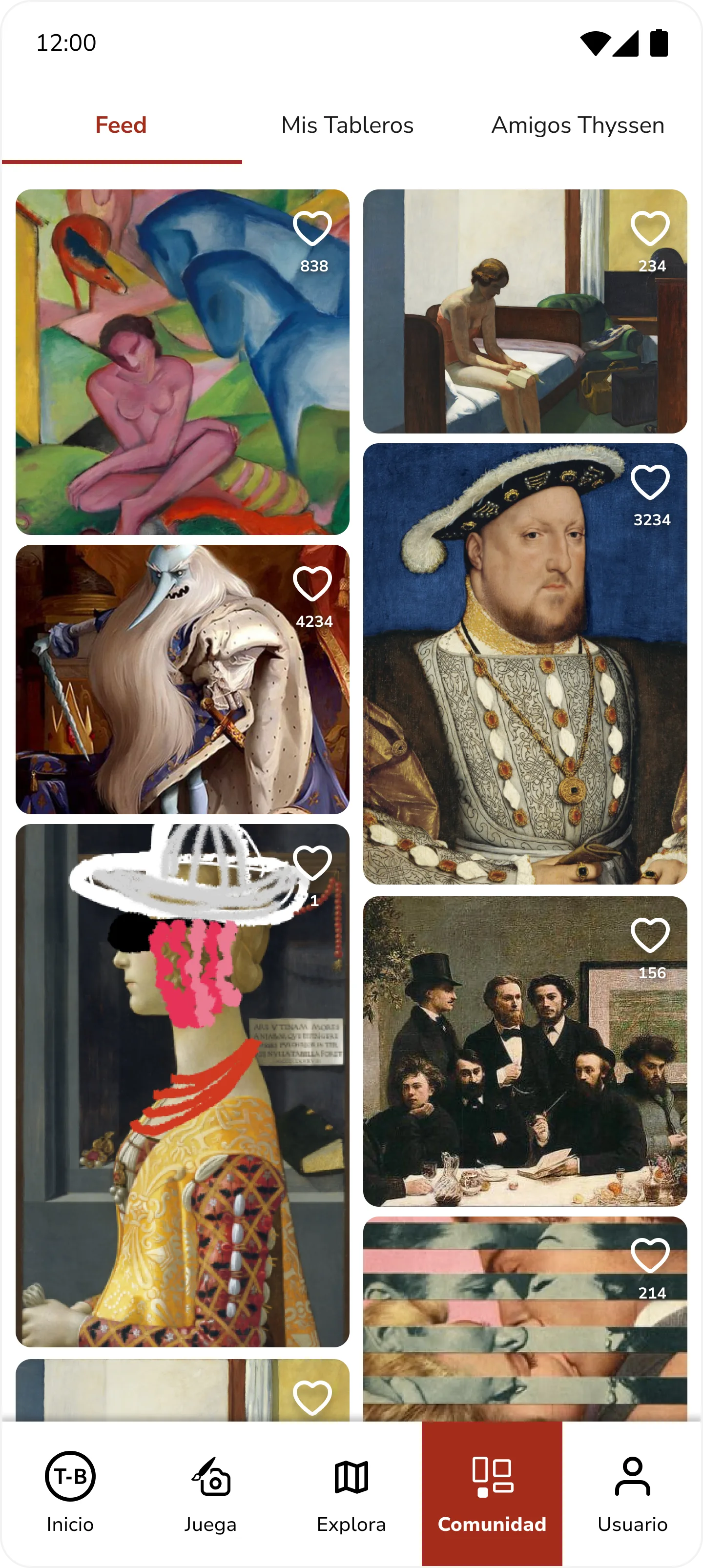
Community
Creations made in the app feed a shared board, so visitors keep participating after leaving the museum.
Community feed
09 / User Testing

After testing the app with several users, we observed how they interact with the product and how they use its main features. This helped us understand their needs and detect usability issues.

Eight conclusions to carry into the next iteration:

01
Make the QR code and access to extended information more visible near the artworks.
05
Clarify how to complete challenges and redeem points or rewards.
02
Simplify navigation to create artworks from scratch and share content.
06
Offer content adapted to the user profile: favourite artworks, short facts, quick tips.
03
Highlight banners or initial instructions so users do not skip important steps.
07
Offer fun facts or short videos instead of long texts.
04
Allow users to set art preferences to create personalized itineraries.
08
Introduce small cumulative challenges to maintain motivation.
10 / Next Steps

Where the project goes from here.

01
Measure activation during the visit: on-site downloads, map use and artwork scans.
02
Refine the design and add Museum Mode / Sofa Mode and discussion rooms.
03
Measure cultural engagement: time per artwork, audio guide use, routes and favourites.
04
New qualitative research with visitors, on how the app changes their connection with the artworks.
11 / Prototype & Next
Open prototype ↗
Phenomena
View case study →
marianoberraz93@gmail.com
Mariano Berraz ® — Barcelona